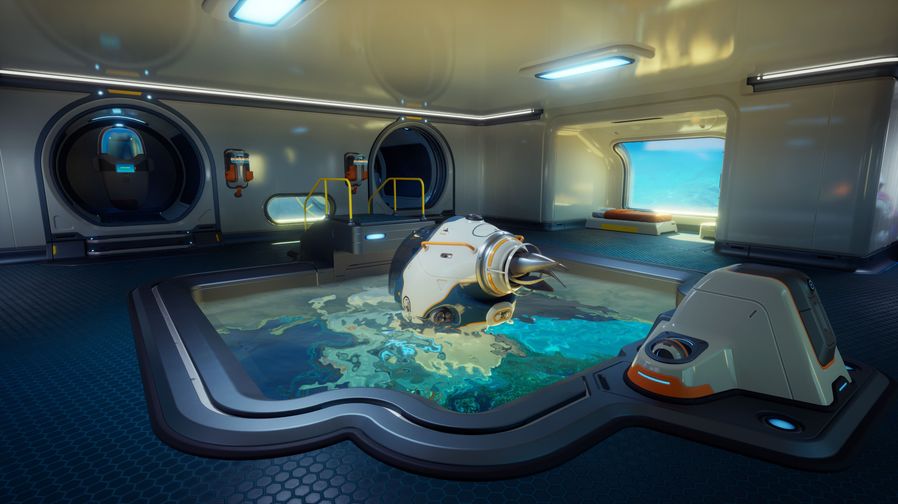
Twitch Drops are how Subnautica 2 rewards players who tune in to official streams during launch week. The Pre-Launch Showcase on May 9, 2026 kicks off the program with the first earnable item — a Seamoth Statue base decoration. Here's the complete official walkthrough on how to earn, claim, and redeem Drops in-game.
Step 1: Watch the Stream
Tune in to an official Subnautica 2 stream on Twitch and keep it running for the required watch duration. You don't need to keep it in focus — Twitch tracks active viewing time as long as the stream is playing on the page.
The first earnable Drop is the Seamoth Statue, available during the Pre-Launch Showcase on May 9, 2026 at 8:00 AM PDT.
Step 2: Confirm the Reward Was Earned
Once you've watched long enough, Twitch will fire a notification confirming the Drop has been earned.
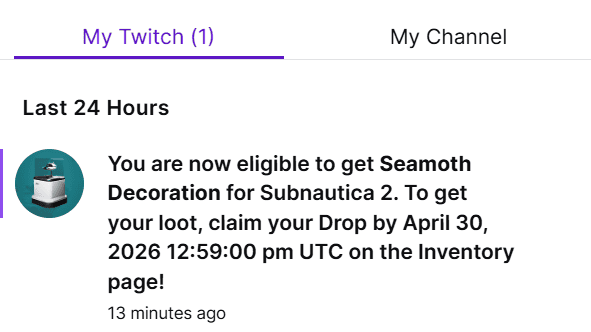
If you missed the popup, head to your Twitch Drops Inventory (twitch.tv/drops/inventory) to see all earned-but-unclaimed rewards.
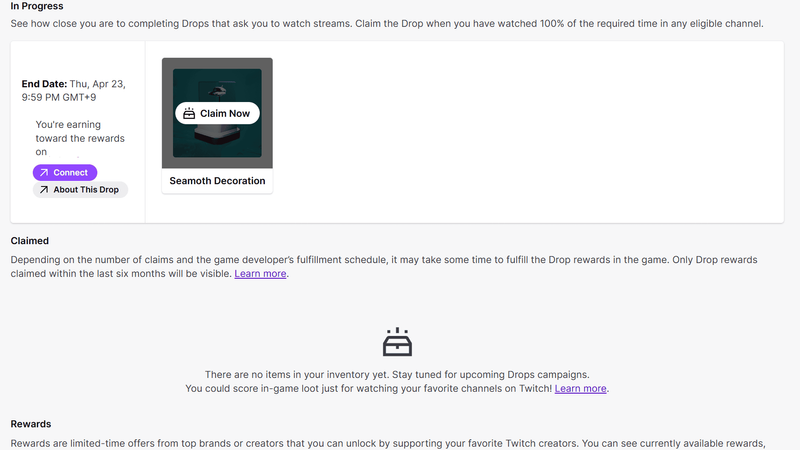
Step 3: Claim the Reward on Twitch
From your Drops Inventory, find the completed reward and click Claim Now. The item moves to your Claimed section, but it's not in the game yet — you still need to link your accounts.
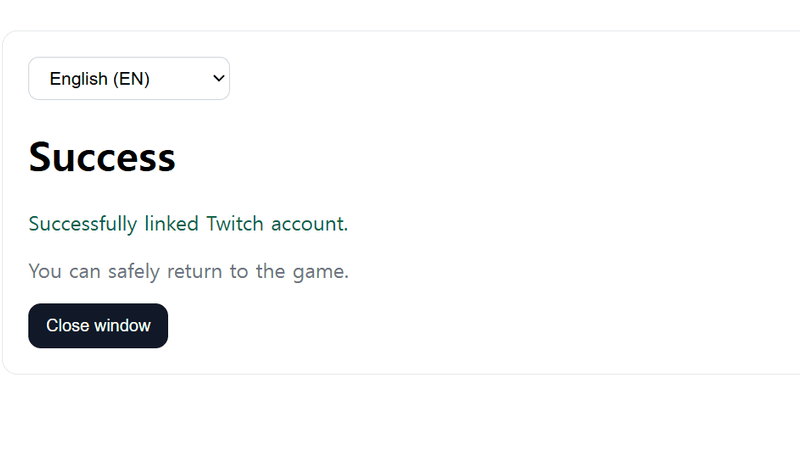
Step 4: Link Your Twitch Account to Subnautica 2
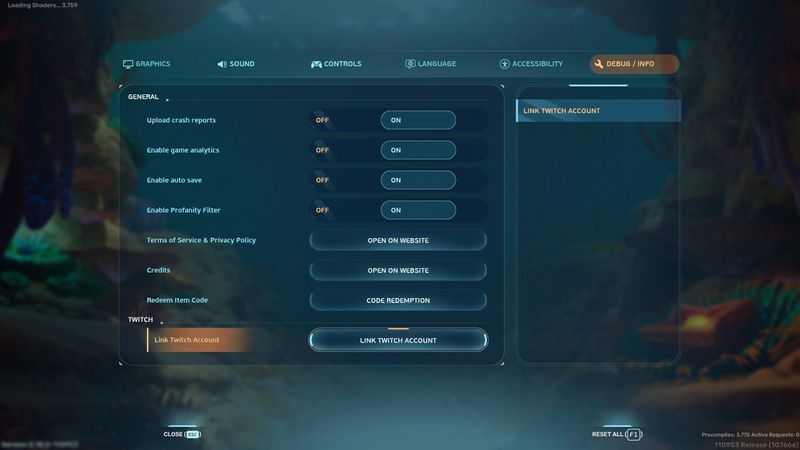
Account linking happens inside the game, not on the Twitch website. That means you need Subnautica 2 actually installed and running — so this step requires waiting until Early Access launches on May 14, 2026.
To link:
- Launch Subnautica 2
- Open Settings
- Navigate to the Debug / Info tab
- Click Link Twitch Account
- Either scan the displayed QR code with your phone, or click Open Link in Browser
- Sign in to Twitch and authorize the connection
Step 5: Pull Your Drops Into the Game
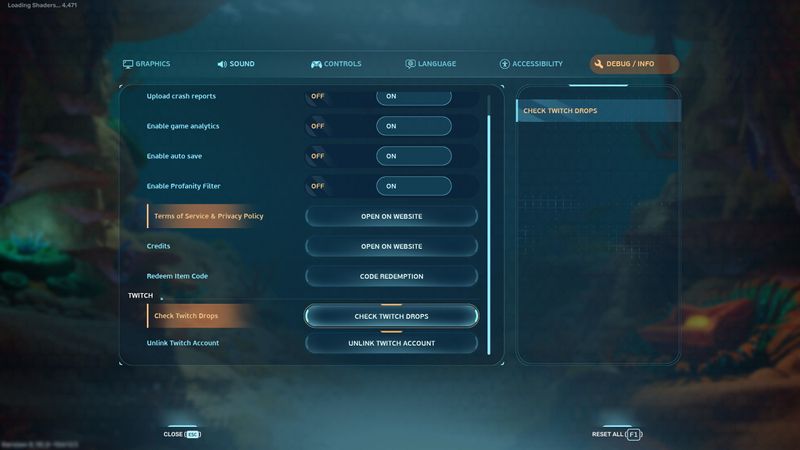
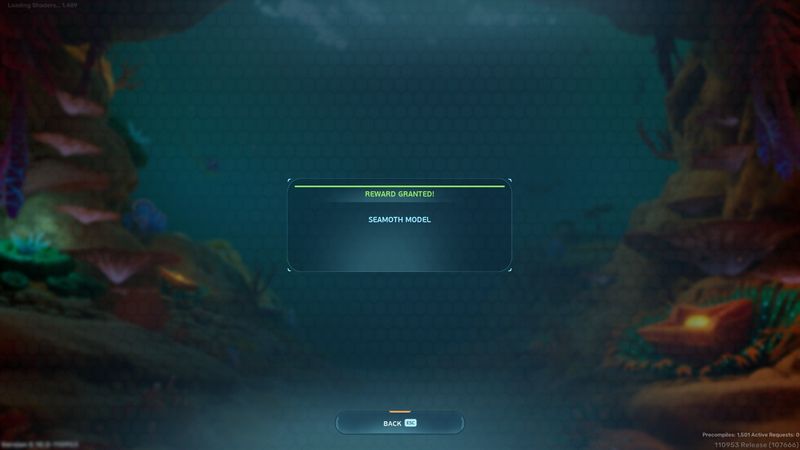
With accounts linked, return to the same Settings > Debug/Info screen and click Check Twitch Drops. The game will pull every claimed reward from your Twitch account and add it to your inventory and blueprint list.
What Drops Are Available
Seamoth Statue base decoration — earned during the Pre-Launch Showcase on May 9, 2026. Additional Drops are expected throughout the Early Access launch window via partnered streamers and official Unknown Worlds broadcasts.
Common Issues
"I claimed the Drop but it's not in the game"
You probably missed Step 5. Claiming on the Twitch website is not enough — you must also click Check Twitch Drops inside the game's settings to actually pull the reward.
"I can't find Settings > Debug/Info"
That option only exists once Early Access launches on May 14, 2026. If you've earned a Drop before launch, claim it on Twitch now — it'll wait safely in your Claimed tab until you can link your account in-game.
"My Twitch account won't link"
Make sure you're signed into the correct Twitch account in your browser. The QR code and "Open in Browser" flows both use your current session — sign out first if you have multiple accounts.